练习 - 使用 GitHub Copilot 更新 Web API
让我们探讨如何使用 API 终结点的高级 GitHub Copilot 技术修改 Python 存储库。 使用此存储库获取更实用的体验,该存储库包含托管旅行天气 API 的 Python Web 应用程序。
什么是 API?
API 充当中介,允许不同的应用程序相互通信。 例如,天气网站可以共享历史数据,也可以通过其 API 提供预测功能。 使用 API,可以将数据嵌入网站,或创建将天气数据与其他功能相结合的应用程序。
扩展 Web API
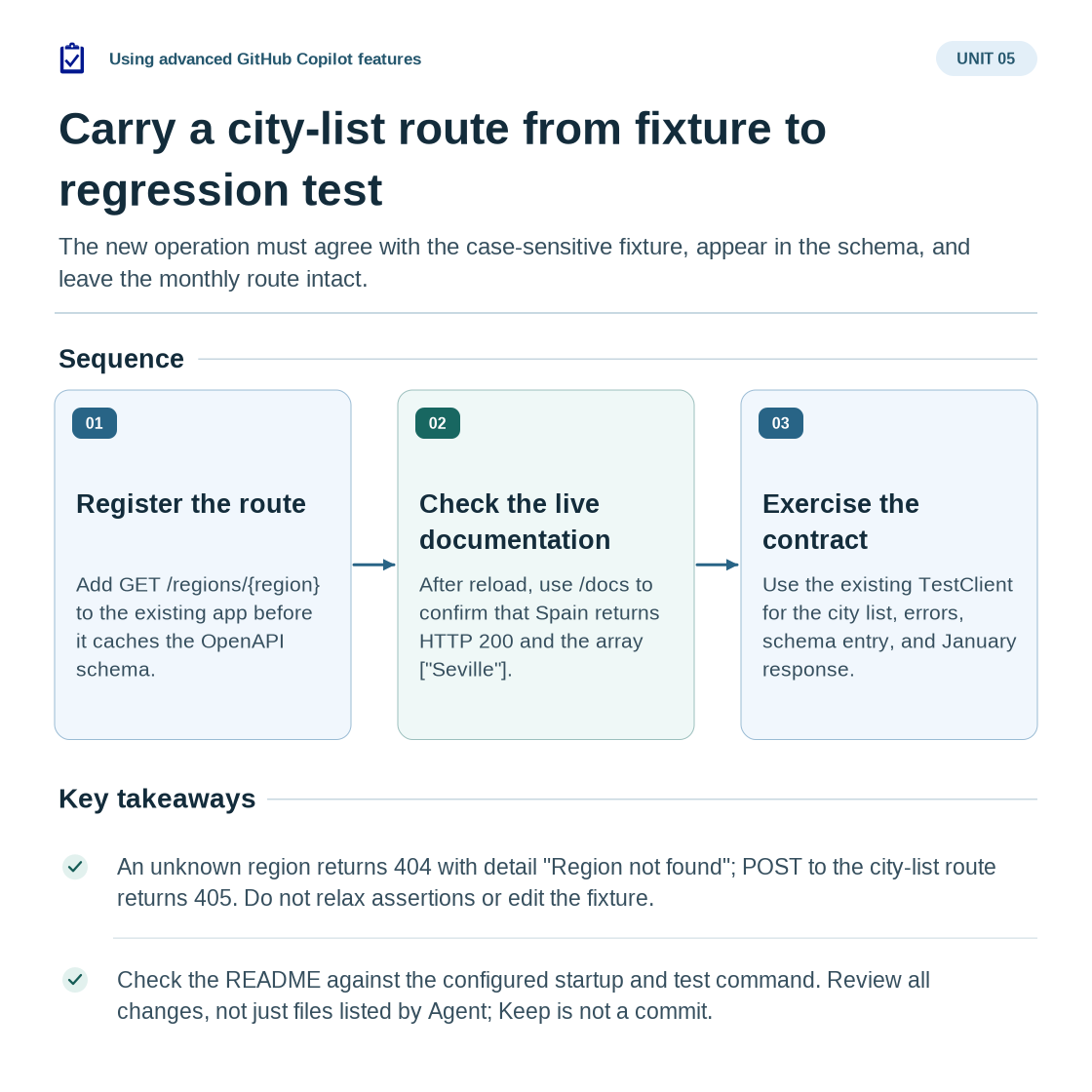
API 已列出区域,并返回区域、城市和月份的每月天气数据。 添加 GET /regions/{region} 以返回可用于该区域的城市的 JSON 数组。 对于提供的数据集, GET /regions/Spain 应返回 ["Seville"]。 保留现有终结点,包括每月天气终结点。
对于本练习,请在浏览器中将 Codespace 与预配置环境配合使用。 本练习需要经过身份验证的 Codespaces 编辑器,在该编辑器中,当前帐户、编辑器版本和组织策略使所需的Copilot会话和代理选择可用。 如果必需的功能不可用,请在继续之前解决该先决条件;请勿更改策略设置、使用不受限制的权限或将未经验证的工作流视为等效工作流。
Important
如果要让它更改文件,请在“Chat 视图”中显式选择 Agent。 对于此交互式练习,请在组织可用并允许时使用 手动权限 。 查看请求审批并检查所有生成的更改的操作。 手动授予的权限无需对每次文件编辑都进行确认,并且在您选择 Keep 之前,编辑可能已经保存。 请求进行小范围更改的提示不会强制实施文件访问限制。
步骤 1:规划和添加新路由
打开聊天,启动当前项目的 Copilot 会话,然后选择“Ask”。 附加
main.py、weather.json和test_main.py,然后发送以下请求:Explain how the existing routes use the weather data and identify the current tests. Confirm which cities the Spain entry contains. Don't change files.将说明与附加文件进行比较。 在同一Copilot会话中,输入此规划请求:
/plan Add GET /regions/{region} to return the city names from weather.json.
Preserve the existing region-list and monthly weather endpoints. Use the
existing app and data and the dataset's case-sensitive names. Return HTTP 404
with detail "Region not found" for an unknown region. Register the
route before the OpenAPI schema is generated. Include tests for the new
route and a regression test for the existing monthly weather response.
Propose the changes without implementing them.
如果计划不符合这些要求,请查看该计划并提交反馈。 选择“仅批准计划”。 请勿在此练习中选择 “实施计划 ”,因为你将在以下步骤中使用内联聊天实现路由。
打开
main.py并更新其现有的 FastAPI 导入,保留FastAPI:from fastapi import FastAPI, HTTPException找到现有的区域列表路由(
GET /regions)和# Generate the OpenAPI schema:块。 新路由必须在区域列表路由之后以及该 schema-generation 块之前。将光标置于所需的插入点。 在 Windows 上使用 Ctrl+I 或在 macOS 上使用 Command+I 打开内联聊天,并使用此自然语言提示:
Add GET /regions/{region} in main.py. Return the city names from the
existing data dictionary loaded from weather.json for the requested region.
Return HTTP 404 with detail "Region not found" if the region is absent.
Preserve the existing routes, including the monthly weather endpoint, and
the dataset's case-sensitive names. Place the new route before the block
that generates the OpenAPI schema.
在保留建议的编辑之前查看建议的编辑。 确认它使用现有
app和已data加载,不会重新加载固定装置或创建另一个应用程序,并且仅添加或替换此路由一次:@app.get("/regions/{region}") def cities(region: str): if region not in data: raise HTTPException(status_code=404, detail="Region not found") return list(data[region].keys())
内联聊天使用活动编辑器上下文。 不要假定单独聊天请求的附件也附加到内联聊天。 如果编辑需要更多上下文,请在附加相关文件的情况下继续在聊天视图中操作,并选择 Agent。
区域名称必须与提供的数据集中的键匹配,包括大小写。 预计西班牙的响应是 ["Seville"]。 不存在的名称返回 HTTP 404,并返回 {"detail": "Region not found"}。
Important
在导入 main.py 时,此项目将生成并缓存其 OpenAPI 架构。 在架构生成块下添加的路由可能充当 HTTP 终结点,但在交互式文档中可能缺少。 更正源排序;不要编辑生成的 .well-known/openapi.json。
手动检查路由
容器将项目依赖项安装到其配置的Python环境中。 附加到代码空间时,其配置的启动命令会在端口 8000 上运行 Uvicorn,并自动重新加载。
- 检查启动终端以成功启动应用程序。 在继续之前解决任何错误。 仅端口条目并不能证明应用程序正在运行。
- 打开“端口”视图,找到标记为“应用程序”的端口 8000,并保持其可见性为专用。
- 在浏览器中打开转发的应用程序。 根路径将重定向到位于
/docs的交互式 API 文档。 - 保存
main.py并等待自动重新加载成功完成。 - 刷新转发的应用程序
/docs页面。 - 展开
GET /regions/{region},选择试用,输入Spain,然后选择执行。 - 确认 HTTP 200 和 JSON 数组
["Seville"]。 如果操作缺失,请检查路由是否在架构生成之前。 如果请求失败,请检查服务器输出,并与Copilot共享相关错误。
服务器通常已运行。 不要在端口 8000 上启动第二个副本,也不要使用本地计算机的 localhost:8000。 保存Python更改会触发现有服务器的自动重新加载。
步骤 2:创建和运行测试
打开存储库根目录中的现有 test_main.py 资源。 在Copilot会话中,选择代理并附加test_main.py,main.py以及weather.json。 使用此提示:
Extend the existing test_main.py using its existing TestClient and client.
Keep its current tests. Verify that GET /regions/Spain returns HTTP 200 and
exactly ["Seville"], an unknown region returns HTTP 404 with the agreed error
detail, POST to the city-list route returns HTTP 405, and the new path is present
in /openapi.json. Also verify that GET /regions/Spain/Seville/January still
returns HTTP 200 with exactly {"high": 61, "low": 41}. Don't change the fixture
or weaken assertions to make tests pass.
查看结果并保留现有导入、TestClient、client和测试。 以下五个测试是一个合适的补充:
def test_cities_spain():
    response = client.get("/regions/Spain")
    assert response.status_code == 200
    assert response.json() == ["Seville"]


def test_cities_unknown_region():
    response = client.get("/regions/__unknown__")
    assert response.status_code == 404
    assert response.json() == {"detail": "Region not found"}


def test_cities_rejects_post():
    response = client.post("/regions/Spain")
    assert response.status_code == 405


def test_cities_in_openapi():
    response = client.get("/openapi.json")
    assert response.status_code == 200
    assert "get" in response.json()["paths"]["/regions/{region}"]


def test_monthly_weather_preserved():
    response = client.get("/regions/Spain/Seville/January")
    assert response.status_code == 200
    assert response.json() == {"high": 61, "low": 41}
从 Codespace 中的存储库根目录运行套件:
/home/vscode/venv/bin/python -m pytest -q
如果你的版本包含这两个现有测试,这五项新增应使通过的测试总数达到 7 个。 保留更新模板提供的任何其他测试。 仅传递计数是不够的:查看断言并确认原始月度天气行为仍然包含在内。 如果模板已具有等效的每月天气覆盖率,请保留该测试,而不是添加重复项并使用实际测试计数。
该项目已经在 test_main.py 中包含 pytest、HTTPX 和 FastAPI 测试客户端。 重复使用它们。 这些测试在进程中运行应用程序,因此它们不依赖于转发的浏览器 URL 或正在运行的 Uvicorn 进程。 不要仅仅因为Copilot建议这样做而升级单个依赖项。
如果测试失败,请将失败的测试、实际输出和预期结果提供给 Copilot。 例如:
The fixture's Spain entry contains only Seville. Correct the city-list test to
expect exactly ["Seville"]. Preserve the fixture and the endpoint contract.
步骤 3:使用 Agent 更新项目文档
打开 Chat,启动当前项目的 Copilot 会话,选择 Agent,并查看该会话的权限。
附加
README.md、main.py、weather.json、test_main.py、requirements.txt以及生效的.devcontainer配置。发送此提示:
Update only README.md to explain how another learner can run this project in
its configured Codespace. Read the attached source and configuration.
Document the existing Python environment, automatic Uvicorn startup, private
port-8000 preview, the city-list endpoint with its Spain example, and the command
for running the existing tests. Don't change source code, dependencies, or the
container configuration.
查看 README 差异以及源代码管理中所有其他已更改或未跟踪的文件。 更正请求范围之外的不受支持的声明和更改。 窄提示不是访问控制,并且代理的已更改文件列表可能省略通过终端命令所做的更改。
确认记录的测试命令在配置的环境中正常工作。 验证自述文件是否描述了现有的自动 Uvicorn 启动,并且不指示读取者启动重复服务器。 如果它包含手动恢复命令,则必须先告知读取者停止现有进程。
保留预期编辑。 Keep 不是 Git 提交。 之后使用摘要的保存步骤提交并推送。
祝贺你完成了这项练习。 你使用了GitHub Copilot来计划、实施和审查新的 API 路由、编写和运行测试,以验证其行为、OpenAPI 注册和保留每月天气端点,并使用 Agent 改进项目文档。
在 GitHub 中完成练习后,请返回此处完成以下内容:
- 快速知识检查
- 您已学习内容的摘要
- 完成此模块的徽章